Sharing a server
Letting somebody else onto a server, what each permission opens, and why no list can take the owner off it.
This page is older than Panel 0.4.0, released 2 September 2026. Something may have changed since.
On this page 5 parts
Sharing a server
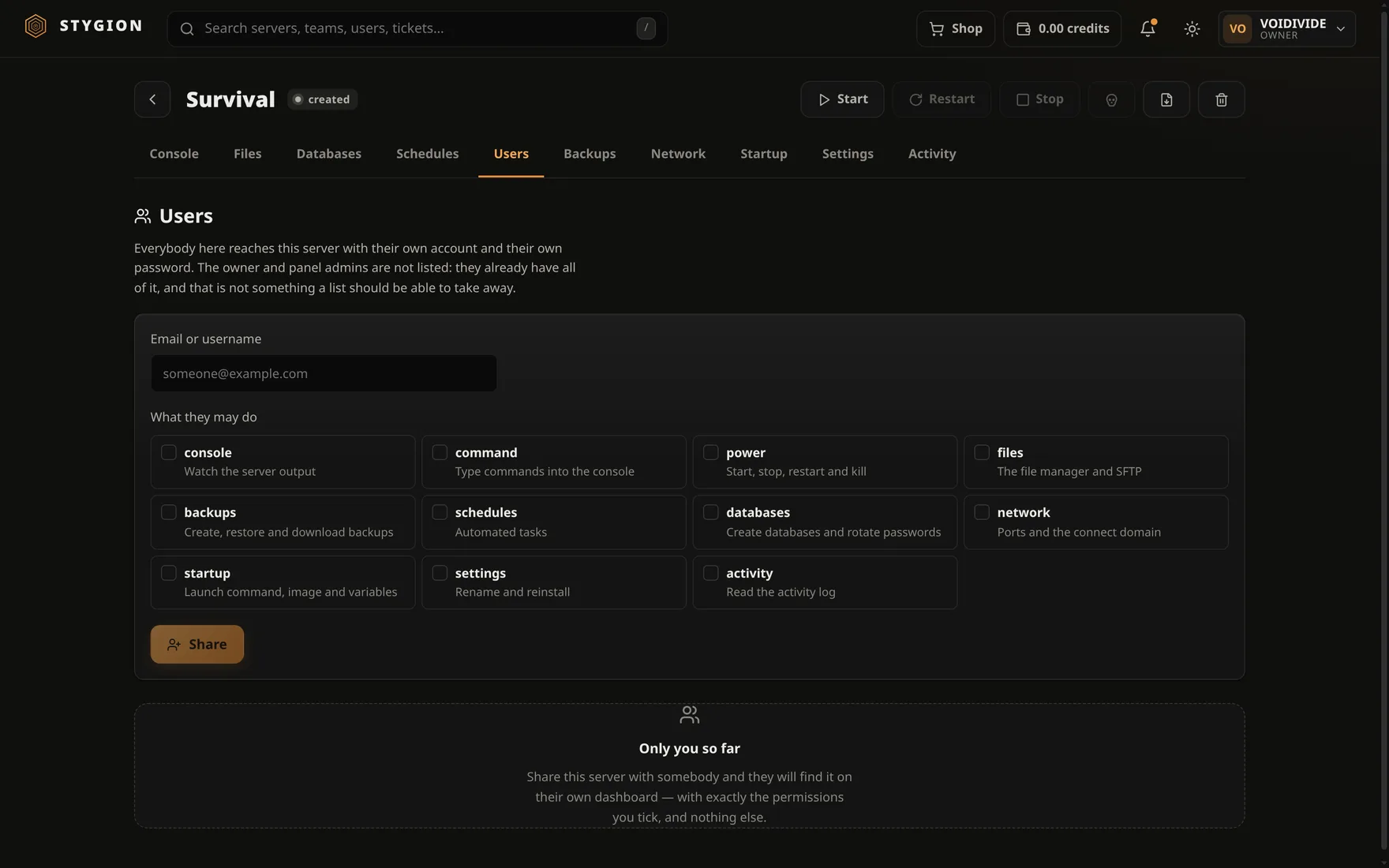
The Users tab lets other accounts onto a server. Each of them signs in with their own name and their own password — sharing the owner's password was never a solution, only a habit.
Adding somebody
#Type their email or username (the same thing they type at the login form), tick what they may do, and press Share. They need an account on this panel; sharing does not create one.
The server appears on their dashboard beside their own.
What each permission opens
#| Permission | What it opens |
|---|---|
console |
Watching the server's output. |
command |
Typing into the console. |
power |
Start, Stop, Restart, Kill. |
files |
The file manager and SFTP. |
backups |
Create, restore, download, delete. |
schedules |
The scheduler. |
databases |
Databases and rotating passwords. |
network |
Ports and the connect domain. |
startup |
Launch command, image, variables, egg export. |
settings |
Rename and reinstall. |
activity |
Reading the activity log. |
Permissions are named after the tabs they open, because a permission named after anything else eventually means something else.
files covers SFTP. SFTP is the file manager over another protocol;
a share that opens one and not the other is a share nobody can reason
about.
power and command are different things. Somebody who may restart
the server does not have to be somebody who may type op into it.
Changing and removing
#The chips under a name are switches: a click takes effect immediately, with nothing to save separately. The bin beside the name removes the access entirely.
Removal is immediate, even mid-task.
What sharing never opens
#Deleting the server, and this tab. Both stay with the owner (and panel admins). Somebody who can grant themselves more has all of it — which is why the right to grant cannot be granted.
The owner is not in the list. They have no business being there: ownership is not a grant and must not be revocable by editing a list.
What the other person sees
#Only what they may. Tabs, the power buttons, delete and the egg export are hidden — a menu of doors that turn out to be locked is worse than a shorter menu.
And a server they have nothing on is not shown to them as forbidden either: the panel answers "server not found". That a thing exists is information too.
Next: When something does not work.
Did this page help?
Opens the feedback panel with this page attached. It lands in the same queue as everything else.