The panel as an agent (MCP)
Giving an assistant a key to the panel, what it may do with it, and why the key is shown only once.
This page is older than Panel 0.4.0, released 2 September 2026. Something may have changed since.
On this page 3 parts
The panel as an agent (MCP)
The panel can talk to an assistant — Claude, or any other MCP client. Not by scraping screens: it has an interface of its own that says what it can do, so the assistant does not have to guess.
What it is good for: "restart Survival and tell me what it got stuck on", "back up every server before I touch the modpack", "why did Creative not come up".
Turning it on
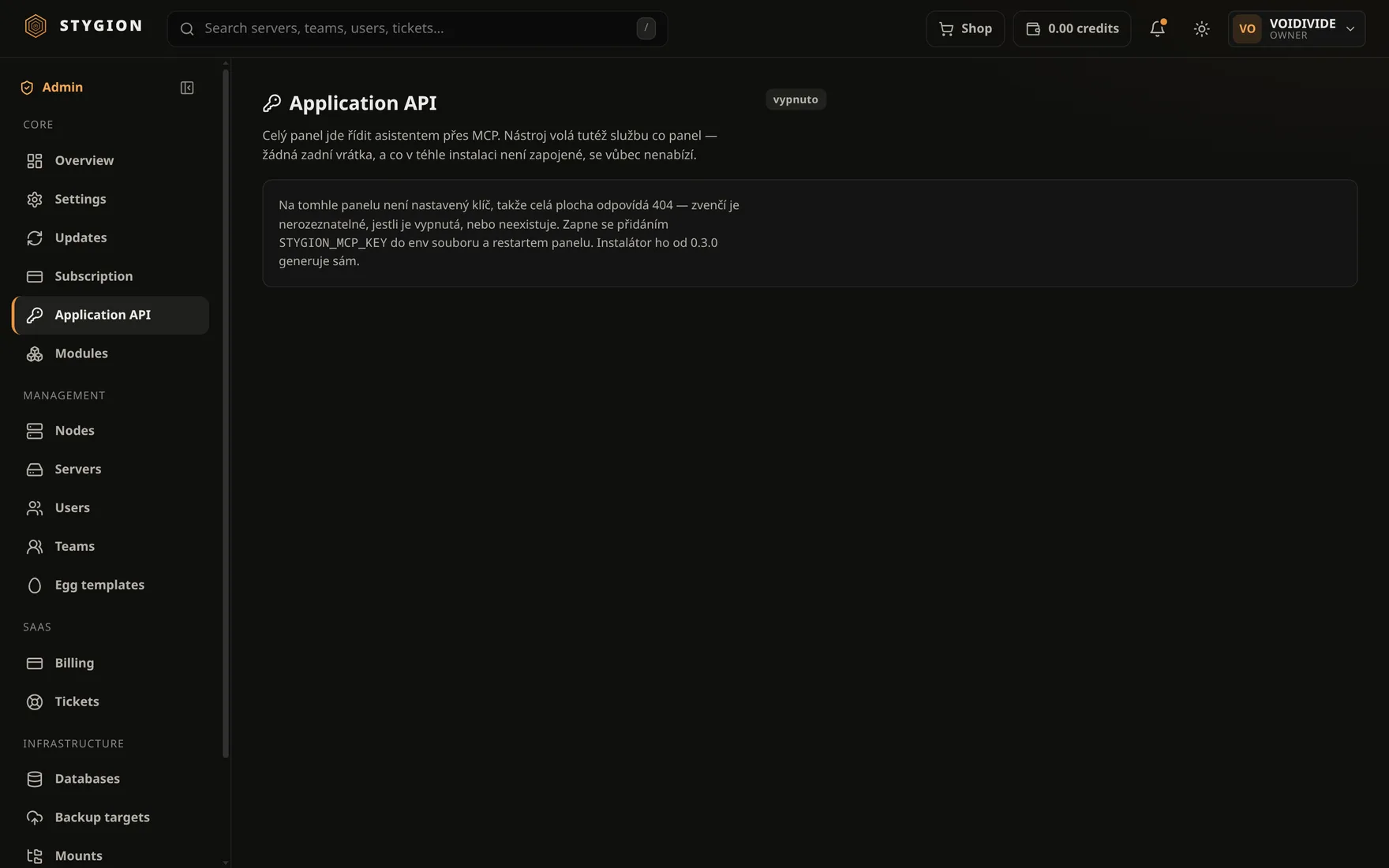
#Admin → Application API. Until a key is configured the screen says so outright — and the whole surface answers 404 from outside, so it cannot be told apart from one that does not exist. That is deliberate.
It is switched on by adding STYGION_MCP_KEY to the env file and
restarting the panel; the installer has generated one since 0.3.0:
grep STYGION_MCP_KEY /etc/stygion/*.env
With a key, the screen shows the address an assistant connects to and how many tools the panel offers it. The key itself is behind a second click, and revealing it is written to the activity log.
What the assistant may do
#What the key may. No more.
Think of a key as an account, not a switch: everything done with it appears in that server's activity — under the key, not under you. If something happens, it is visible that an agent did it.
A tool calls the same service the panel does, so a rule the panel enforces is a rule the assistant is held to as well. No back doors.
Revoking
#A key can be revoked. A revoked key stops working immediately, even mid-task.
Revoke one when you have stopped using that client, when it has been on somebody else's machine, or simply now and then. Issuing a new one takes seconds — far cheaper than wondering where the old one ended up.
Did this page help?
Opens the feedback panel with this page attached. It lands in the same queue as everything else.